
Route optimisation

Create optimisation jobs, track their status, and read results. This is the core of Route4Green.

Integrating route optimisation

This section explains how to call the route optimisation group. The full endpoint list is directly below; what follows is what you need before the first call.

Submitting a job

Route optimisation runs asynchronously. You submit a job, the system accepts it and works on it, and you collect the result later by asking for the status or by receiving a webhook.

It returns 202, not 200

A successful submit returns 202 Accepted. That means the job was recorded, not that it is finished. The response carries a job identifier you can look up, not an optimisation result.

Idempotency-Key is required

Every submit must carry an Idempotency-Key header. The key is scoped to your client, is at most 128 characters, and is retained indefinitely, so a value you have used cannot be reused for a different job.

Why it matters

When a request times out, your side has no way to know whether the server accepted the job. Retrying without this key is how you end up with a second job for the same run. The Idempotency-Key is what makes a retry safe.

What happens when you resend the same key

Same key, identical payload: you get back the job that was already created. Nothing is created twice and nothing errors. That is what makes retrying after a timeout safe.

Same key, different payload: the request is refused with a 409 and IDEMPOTENCY_CONFLICT. Seeing that code almost always means an old key was reused for a new job.

Three rules
  1. Generate the key before the first attempt, not again on each retry.
  2. Every retry of the same submission sends that same value, with an identical body.
  3. A genuinely new job needs a new value.

external_reference

The request body accepts external_reference, your own identifier for the job. It is not the Idempotency-Key: the key protects one attempt, external_reference ties the job to your records. The external ids on the individual orders and vehicles inside the body are a third thing again, and the two error codes about them are in the error section below.

Submitting a job. The body depends on what you are optimising.
const idempotencyKey = crypto.randomUUID();

async function submit(body: unknown) {
  const response = await fetch(
    "https://<your-host>/api/v1/partners/addons/route-optimization/jobs",
    {
      method: "POST",
      headers: {
        "api-key": process.env.ROUTE4GREEN_API_KEY!,
        "Idempotency-Key": idempotencyKey,
        "content-type": "application/json",
      },
      body: JSON.stringify(body),
    },
  );

  // 202 Accepted. The job is recorded, not finished.
  const envelope = await response.json();
  if (!envelope.success) {
    throw new Error(`${envelope.error_code}: ${envelope.message}`);
  }
  return envelope.data;
}
Job lifecycle

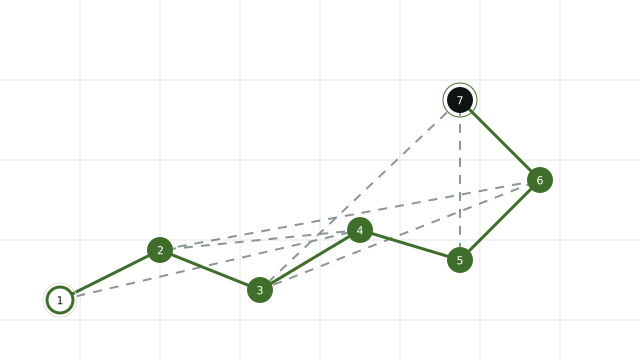
A job moves through six states. These are the literal strings the system returns, so match on them exactly rather than translating them or changing their case.

StatusTerminalWhat it meansWhat to do
QUEUEDNoThe job was accepted and has not started.Keep waiting.
PROCESSINGNoThe job is being computed.Keep waiting.
SUCCEEDEDYesThe job finished in full.Fetch the result.
PARTIALYesThe job finished, but not every part of it succeeded.Fetch the result and check what was left unplaced before you use it.
FAILEDYesThe job stopped on an error.Read the error before resubmitting, and use a new key if this is a new submission.
CANCELLEDYesThe job was cancelled.Stop waiting.

This list comes from the backend team. The pinned specification does not publish the set, so if you see a state that is not here, tell us.

Polling for status

If you are not using webhooks, ask for the status on an interval and stop as soon as the job reaches one of the four terminal states. Always bound the loop: the current processing timeout is 30 minutes, so an unbounded loop runs forever when something goes wrong.

The 5 second interval below is a reasonable choice, not a documented figure. Webhooks are the better way to collect a result.
const TERMINAL = new Set([
  "SUCCEEDED",
  "PARTIAL",
  "FAILED",
  "CANCELLED",
]);

async function waitForJob(jobId: string, deadlineMs = 30 * 60 * 1000) {
  const startedAt = Date.now();

  while (Date.now() - startedAt < deadlineMs) {
    const response = await fetch(
      `https://<your-host>/api/v1/partners/addons/route-optimization/jobs/${jobId}`,
      { headers: { "api-key": process.env.ROUTE4GREEN_API_KEY! } },
    );
    const envelope = await response.json();
    if (!envelope.success) {
      throw new Error(String(envelope.error_code));
    }

    const status: string = envelope.data.status;
    if (TERMINAL.has(status)) return status;

    await new Promise((resolve) => setTimeout(resolve, 5_000));
  }

  throw new Error("Job did not reach a terminal state before the deadline");
}

Webhooks

Instead of asking repeatedly, register an address for the system to call when a job finishes. These are the route optimisation webhook endpoints, which are not the same feature as the general webhooks group elsewhere in this documentation.

Registering a webhook also needs an API key, and you cannot mint one yourself yet. See the authentication section on the documentation index.

Register

The receiving address must be HTTPS, and the system calls only once a job has reached a terminal state, never on QUEUED or PROCESSING. A successful registration returns the signing secret exactly once, so store it straight away.

List

The listing comes back without secret material.

Activate, deactivate or rotate the secret

One endpoint covers all three. The specification does not state where a rotated secret is returned, so ask us before relying on that.

ItemValue
ProtocolHTTPS only
When it firesWhen a job reaches a terminal state
Signature headerX-Smartway-Signature: sha256=<hex>
Timestamp headerX-Smartway-Timestamp, in seconds
Event id headerX-Smartway-Event-Id
Event type headerX-Smartway-Event
Signed stringtimestamp.eventId.eventType.rawBody
Delivery timeout5 seconds
Webhooks1 per client
Private addressesRefused

Verifying the signature

The signature is an HMAC-SHA256 hex digest over four parts joined by dots, in exactly this order: the timestamp, the event id, the event type, then the raw body. Strip the sha256= prefix before comparing, and compare with a constant-time function.

It has to be computed over the raw request bytes. If you parse the JSON and serialise it again the key order changes and every signature fails. In Next.js that means reading with request.text() rather than request.json().

The complete verification function, ready to run.
import { createHmac, timingSafeEqual } from "node:crypto";

const SECRET = process.env.ROUTE4GREEN_WEBHOOK_SECRET!;

/**
 * HMAC-SHA256 over the four delivery parts joined by dots, in this order.
 * Anything else, including a different separator, produces a digest that
 * never matches.
 */
function expectedSignature(
  timestamp: string,
  eventId: string,
  eventType: string,
  rawBody: string,
): string {
  const preimage = `${timestamp}.${eventId}.${eventType}.${rawBody}`;
  return createHmac("sha256", SECRET).update(preimage).digest("hex");
}

function safeEqualHex(a: string, b: string): boolean {
  const left = Buffer.from(a, "hex");
  const right = Buffer.from(b, "hex");
  // Compare lengths first: timingSafeEqual throws on a mismatch.
  return left.length === right.length && timingSafeEqual(left, right);
}

export async function POST(request: Request): Promise<Response> {
  // Raw bytes, not a parsed object. Re-serialising JSON reorders keys and
  // every signature then fails.
  const rawBody = await request.text();

  const timestamp = request.headers.get("x-smartway-timestamp") ?? "";
  const eventId = request.headers.get("x-smartway-event-id") ?? "";
  const eventType = request.headers.get("x-smartway-event") ?? "";
  const received = (request.headers.get("x-smartway-signature") ?? "").replace(/^sha256=/, "");

  if (!timestamp || !eventId || !eventType || !received) {
    return new Response("missing signature headers", { status: 400 });
  }

  if (!safeEqualHex(received, expectedSignature(timestamp, eventId, eventType, rawBody))) {
    return new Response("invalid signature", { status: 401 });
  }

  // Your own freshness window. No server-side replay window is documented,
  // so choose one and reject anything older.
  const ageSeconds = Math.abs(Date.now() / 1000 - Number(timestamp));
  if (!Number.isFinite(ageSeconds) || ageSeconds > 300) {
    return new Response("stale delivery", { status: 401 });
  }

  // Deliveries can repeat, so key your handler on eventId and make it safe to
  // run twice. Acknowledge first: the delivery timeout is 5 seconds.
  void handleTerminalEvent(eventId, eventType, JSON.parse(rawBody));
  return new Response("ok");
}

Receiving and replying

Treat every event as something that can arrive more than once, and write a handler that is safe to run again. Reply fast and do the work afterwards, because the current delivery timeout is 5 seconds.

Response envelope

Every response comes back in the same envelope: success, message, error_code and data. The important part is that the HTTP status is not always the signal. Some failures come back as HTTP 200 with success set to false. Always check the body, not only the status code.

Check the body, not just the status code.
// error_code is a string on some responses and a number on others, so the
// only safe shape is a union. Never compare it numerically.
type Envelope<T> = {
  success: boolean;
  message: string;
  error_code: string | number;
  data: T;
};

const response = await fetch(url, options);
const envelope: Envelope<unknown> = await response.json();

// Branch on success first. Do NOT branch on response.ok alone, and do not
// branch on error_code alone: some failures arrive as HTTP 200 with success
// set to false, and a successful response can still carry error_code 0.
if (!envelope.success) {
  handleFailure(String(envelope.error_code), envelope.message);
  return;
}

use(envelope.data);

error_code comes back as either a string or a number depending on the response: the live system has returned error_code 0 and error_code as a string. Type it as string | number, never compare it numerically, and never branch on error_code alone. Branch on success first, then read the code.

That is an upstream defect rather than a convention. It is recorded here so you write code that survives both shapes, and we will update this when the system settles on one.

Error codes

The code arrives in the error_code field of the response body.

CodeWhen you get it and what to do
ROUTE_OPT_API_KEY_REQUIREDThe request carried no API key. Add the api-key header.
ROUTE_OPT_NOT_ENABLEDThe key does not have Route optimization access, or the feature is switched off server side. Contact us; this is not something you can turn on.
ROUTE_OPT_VALIDATION_ERRORThe request body is not valid. Read message for the field.
DUPLICATE_EXTERNAL_IDTwo items in the same request carry the same external id. This is a 400, caught while validating the body.
ROUTE_OPT_RATE_LIMITEDYou went over the submits allowed in a minute. Wait and retry, reusing the same Idempotency-Key.
ROUTE_OPT_PAYLOAD_TOO_LARGEThe body is over the current size limit. Split it and resubmit.
ROUTE_OPT_JOB_NOT_FOUNDNo job matches that identifier.
ROUTE_OPT_WEBHOOK_NOT_FOUNDNo webhook matches that identifier.
ROUTE_OPT_PERSISTENCE_ERRORThe system failed to store something. Contact us if it repeats.

Two external id codes, and they are constantly confused

These two sound alike and describe completely different situations. Read them carefully before writing a branch.

DUPLICATE_EXTERNAL_ID, a 400: your payload contradicts itself. Two items in the same request carry the same external id. Fix it on your side and resubmit.

ACTIVE_EXTERNAL_ID_CONFLICT, a 409: that id is busy. An order or a vehicle with that external id is already bound to another active job. Wait for that job to finish, or use a different id.

Conflict codes

Codes returned with a 409 status. The source column says which ones the development team confirmed in the source and which appear only in the specification. For the second kind, ask us before writing a branch that depends on them.

CodeEndpointSource
IDEMPOTENCY_CONFLICTPOST /jobsConfirmed
ACTIVE_EXTERNAL_ID_CONFLICTPOST /jobsConfirmed
JOB_ALREADY_PROCESSINGPOST /jobsFrom the spec
RESULT_NOT_READYGET /jobs/{jobId}/resultFrom the spec
RESULT_UNAVAILABLEGET /jobs/{jobId}/resultFrom the spec
WEBHOOK_LIMIT_REACHEDPOST /webhooksFrom the spec

Request limits

These are the limits that apply to a production key. They are an infrastructure matter rather than a product ceiling.

LimitProduction key
Request body size5 MB
Vehicles per job200
Submits per minute10 per client
Orders, first and last mile320 (soft)
Orders, mid mile220 (soft)
Processing timeout30 minutes
Webhook timeout5 seconds
Webhooks per client1

The two order figures are soft ceilings: going past them makes the computation take considerably longer rather than being refused outright.

Test keys

Test keys run under the figures below, and going past one is a hard rejection rather than a slowdown. They are enough to build and verify a complete integration, and deliberately not enough to run an operation on.

LimitTest key
Submits per minute5
Vehicles per job10
Stops per job50
Jobs per month200

A test key runs last mile problems only. That is a decision about the scope of a trial rather than a technical limit; the other profiles open up on a live key.

If you need more

If your volume goes past these numbers, tell us. Raising them is a scaling exercise and we handle it case by case, so describe the real shape of your operation.

Talk to us about limits

We make no commitment about response time or availability. The system is running a proof of concept with a single customer and is awaiting their sign off, so service commitments come after that.

7 endpoints